Whacka
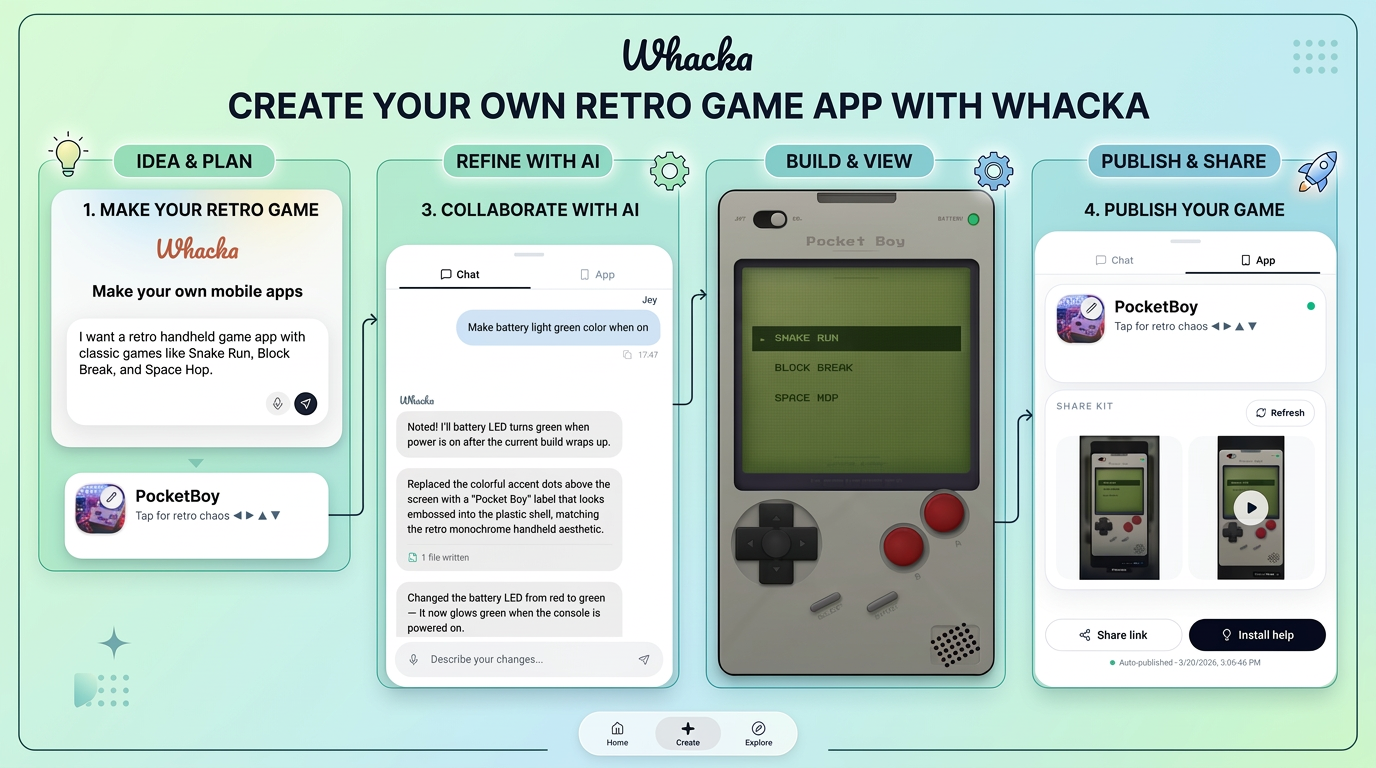
Describe an idea, get a tiny phone app.
About Whacka
Advertiser Disclosure: Futurepedia.io is committed to rigorous editorial standards to provide our users with accurate and helpful content. To keep our site free, we may receive compensation when you click some links on our site.
Key Features
- AI Idea‑to‑App Creation: Users describe an idea in plain language and Whacka’s AI turns it into a small mobile app, handling screens, basic structure, and simple interactions.
- Mobile‑First Workflow: Everything happens on the phone, from prompting the AI to reviewing and tweaking the generated app, which fits people who mainly work on mobile.
- Simple Utility‑Style Apps: The tool focuses on “little apps” such as trackers, checklists, tiny calculators, or micro workflows instead of complex, multi‑module systems.
- Home Screen & Sharing: Apps are meant to feel personal and lightweight, so they can be added to the home screen and shared with friends, teammates, or customers via simple links.
Pros
- Accessible for Non‑Coders: Designed so people with zero development background can still get a working app out of a short description.
- Fast Prototyping: Ideal for quickly testing ideas, side projects, or personal tools without committing to a full no‑code stack.
- Phone‑Native Experience: Creating on the same device where the app will live encourages casual experimentation and quick iteration.
- Low Overhead: Focusing on tiny utilities rather than large products keeps scope manageable and reduces the chance of getting stuck in complex configuration.
Cons
- Limited Complexity: Not suited for large, data‑heavy, or enterprise‑grade applications that need advanced integrations and workflows.
- Mobile‑Only Editing: Users who prefer designing on a larger screen or doing detailed layout work on desktop may find the experience restrictive.
- Early‑Stage Ecosystem: As a newer tool, it likely has less documentation, community content, and integration depth than mature no‑code platforms.