Brief My Meeting
Arrive prepared with automatic pre-meeting email briefings.
About Brief My Meeting
Advertiser Disclosure: Futurepedia.io is committed to rigorous editorial standards to provide our users with accurate and helpful content. To keep our site free, we may receive compensation when you click some links on our site.
Key Features
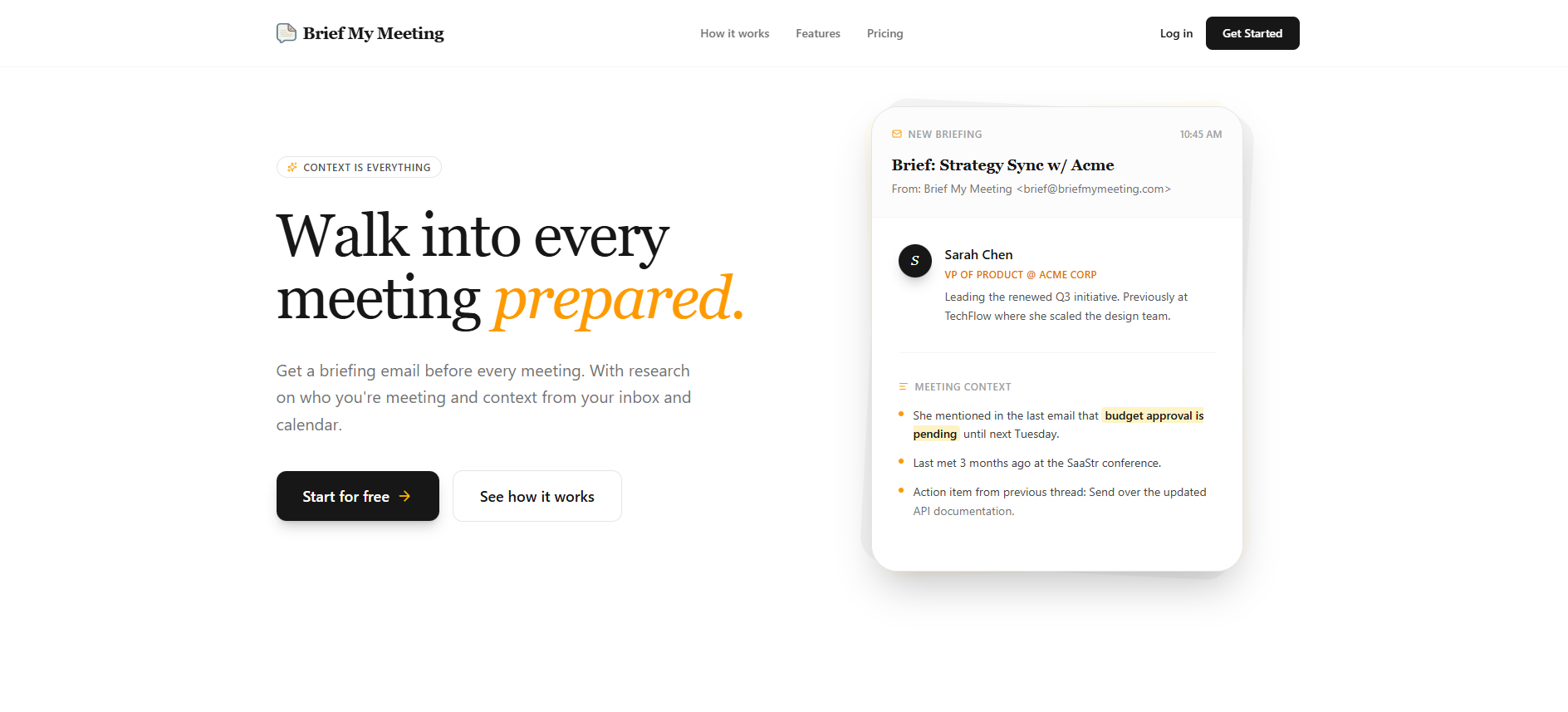
- Attendee and company research: Pulls in LinkedIn profiles, company details, and role context for each participant so users understand who is in the room and what matters to them.
- Contextual history view: Surfaces prior meetings, emails, and key quotes, including reminders about what was decided last time and which follow-ups are still pending.
- Relevant document surfacing: Identifies and links important attachments such as proposals, budgets, slide decks, or shared PDFs that might be referenced in the upcoming call.
- Calendar and inbox integration: Connects directly to Google and Outlook environments, automatically detecting external meetings and preparing briefs without manual setup for each event.
- Security and compliance focus: Operates with SOC 2 Type 2 compliance and a clearly stated “only what is necessary” access approach, aiming to reassure security-conscious teams.
Pros
- Significant time savings: Cuts down on last-minute inbox searches, tab hopping, and re-reading long threads before calls.
- Stronger relationships and follow-through: Reminds users of prior commitments, past context, and who said what, which helps maintain trust with clients, partners, and candidates.
- Low-friction workflow: Delivers value directly inside the inbox as an email briefing, so there is no separate dashboard that must be monitored.
- Attractive pricing for heavy meeting schedules: Unlimited meeting briefings at a low per-user price point favor professionals with packed calendars.
- Clear value narrative: From the creators of Inbox Zero, the product has a focused mission of helping people show up prepared rather than trying to become a full meeting suite.
Cons
- Data-access sensitivity: Some organizations may hesitate to grant a third-party tool access to email and calendar data, even with compliance in place.
- Most useful for external meetings: Internal standups or quick ad hoc chats may not benefit as much from full attendee research and long history.
- Limited custom workflow controls: Power users may wish for deeper customization such as fully custom brief templates, advanced filtering, or highly granular timing controls that are not yet prominent.